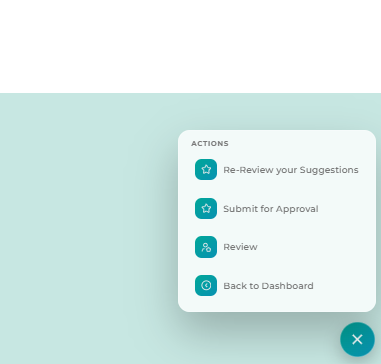
Ways you can get to the job:
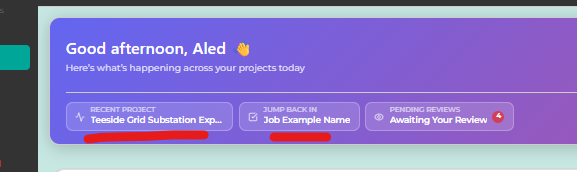
- You may see the job or project in the top of dashboard if it's the one you have most recently interacted with. You can click to jump back in directly from there.
- Select 'Projects' from the left hand menu, it looks like a folder icon. Find the relevant project.
- Once you find the job, click anywhere on it's row on the job dashboard to go into it.
- In the bottom right hand corner there is a + icon in a green circle, if it's closed click it to open up the action menu and you will see 'submit for approval' and you can pick or change the required reviewers or primary reviewer.